Introduction to Sports Ticketing Software Development
Tickets for the big derby go live at 10 AM. By 10:02, the site is crawling, fans are stuck on the payment page, and a few of them just got charged for seats someone else already bought. Support lines light up. Social media gets loud. The match hasn’t even been played yet.
Clubs and stadium operators running on older setups hit this a lot. Their ticketing system is often a mix of tools stitched together over the years, so it breaks when traffic jumps, the seat map goes out of sync, and fake tickets get through at the gate. Fortune Business Insights also lists ticket fraud as a major challenge for this market.
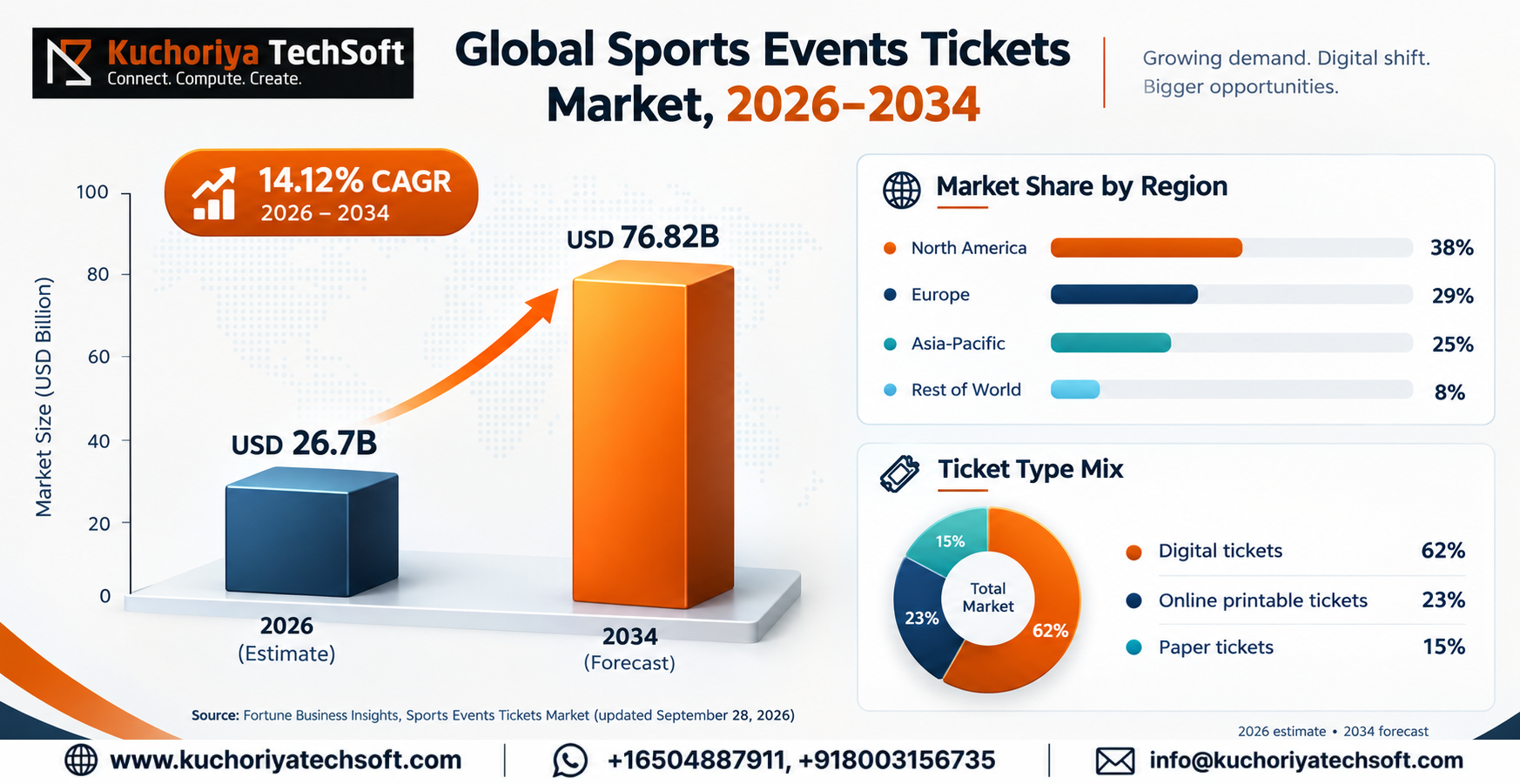
People keep purchasing tickets as well. Market research predicts that the worldwide sports events tickets market will reach USD 76.82 billion by 20 34, growing from USD 26.7 billion in 2026 at a CAGR of 14.12%, with digital tickets expected to hold the largest market share of approximately 62%. Other research companies have varying totals, but every report we read indicates growth. (Source)
So what actually helps? A system made around how your venue sells and scans tickets. Good sports ticketing software development gets you live seat counts, safe digital entry and a checkout that doesn’t fall over on match day. Below, we go through the features, tech, security, the sports ticketing platform development steps and the sports ticketing software cost, so you know what you’re signing up for.
What Is Sports Ticketing Software and How Does It Work?
A venue needs one place to sell tickets and admit fans, and that's exactly what sports ticketing software provides. Ticket holders purchase through a website or mobile app. You set prices, open/close blocks of tickets, and report who truly showed up.
Here’s how a normal sports event ticketing software setup runs on match day:
- Fan opens the match page and taps a seat on the map.
- They pay, and that seat is held for them straight away.
- A QR ticket shows up on their phone.
- The scanner at the gate reads it in a second or two.
- Your team watches sales and entry counts live.
The part fans see is an online sports ticket booking system that runs on phones and laptops. What they don’t see is the work behind it. That work is ticket booking system development, and it’s what links seats, payments and gate scanners, which is why two fans can’t end up with the same seat. Fortune Business Insights points out that teams now want tickets, venue entry, food orders and loyalty rewards all sitting in one system.
Key Benefits of Custom Sports Ticketing Software
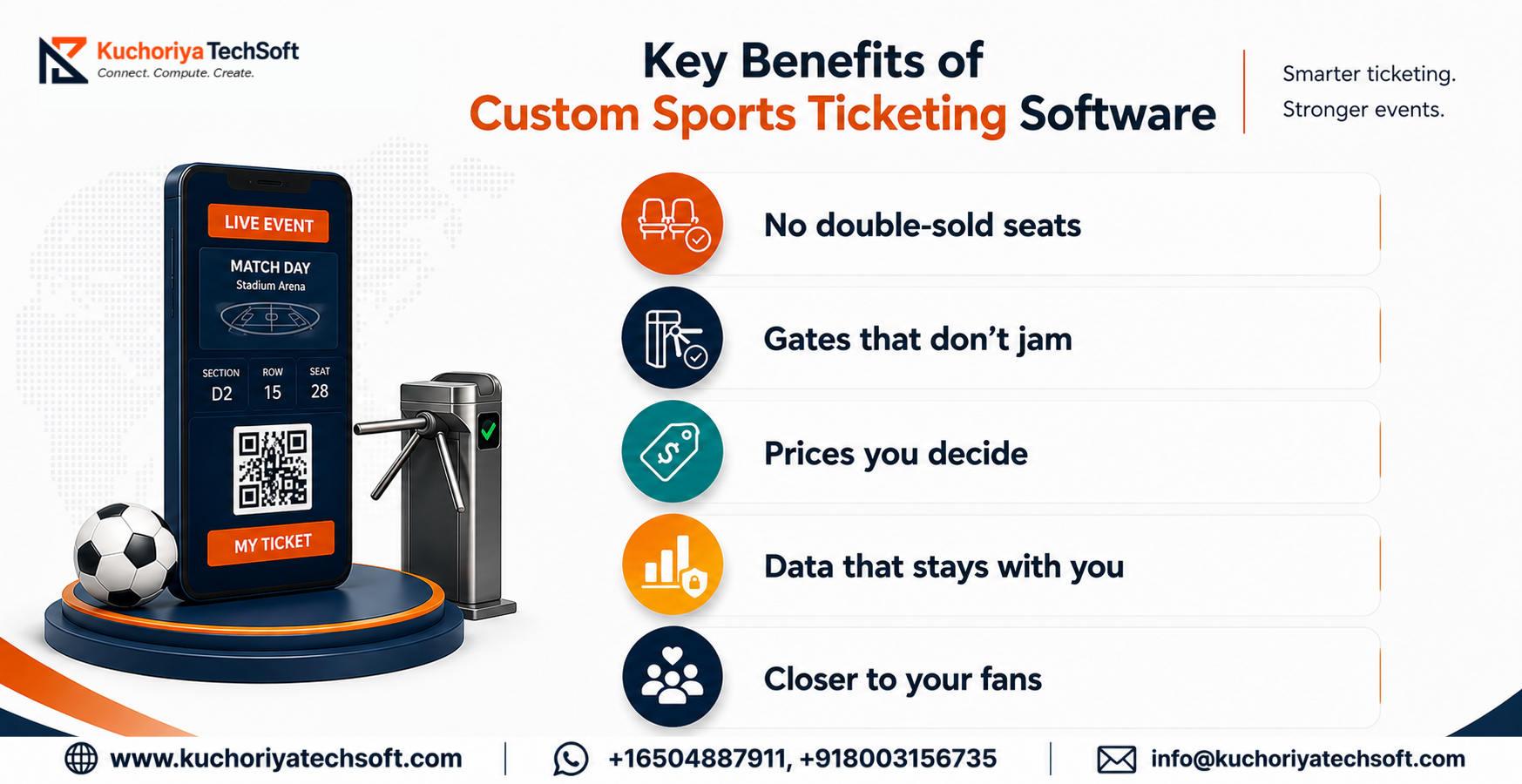
Ask any club manager about sale day and you’ll hear the same story. The old system gave up right when the crowd showed up. A custom build is made to avoid that, and here is where it helps most.
1. No double-sold seats
Once a fan pays, that seat is gone for everyone else. No “sorry, someone already booked it” emails and far fewer refunds to chase.
2. Gates that don’t jam
A scan takes a second or two, so the line keeps moving. A copied ticket? The scanner won’t take it. And since it’s your own stadium ticketing software, you can set it up for your gates, stands and scanner spots.
3. Prices you decide
Set your own tiers, season bundles and match-day offers. If you want to run a last-minute promo, you just do it and don’t wait on a vendor’s next release.
4. Data that stays with you
Every sale and scan goes into your own system. So you can tell who’s buying, when they buy, and which stands are sitting empty. Hook it up to your sports event management software and match-day staffing gets easier to plan.
5. Closer to your fans
Presale access, match reminders and loyalty points can all sit on the ticket itself. Good sports fan engagement technology like this gives fans a reason to come back for the next home game too.
Essential Features of a Sports Ticketing Platform
Features decide whether a ticketing platform holds up on a sold-out night. Here’s what to expect in each part of it.
Don’t build it all at once. Get the fan side, admin panel, gates and payments working first, then add the smart stuff after a few matches of real sales.
Sports Ticketing Software Development Services
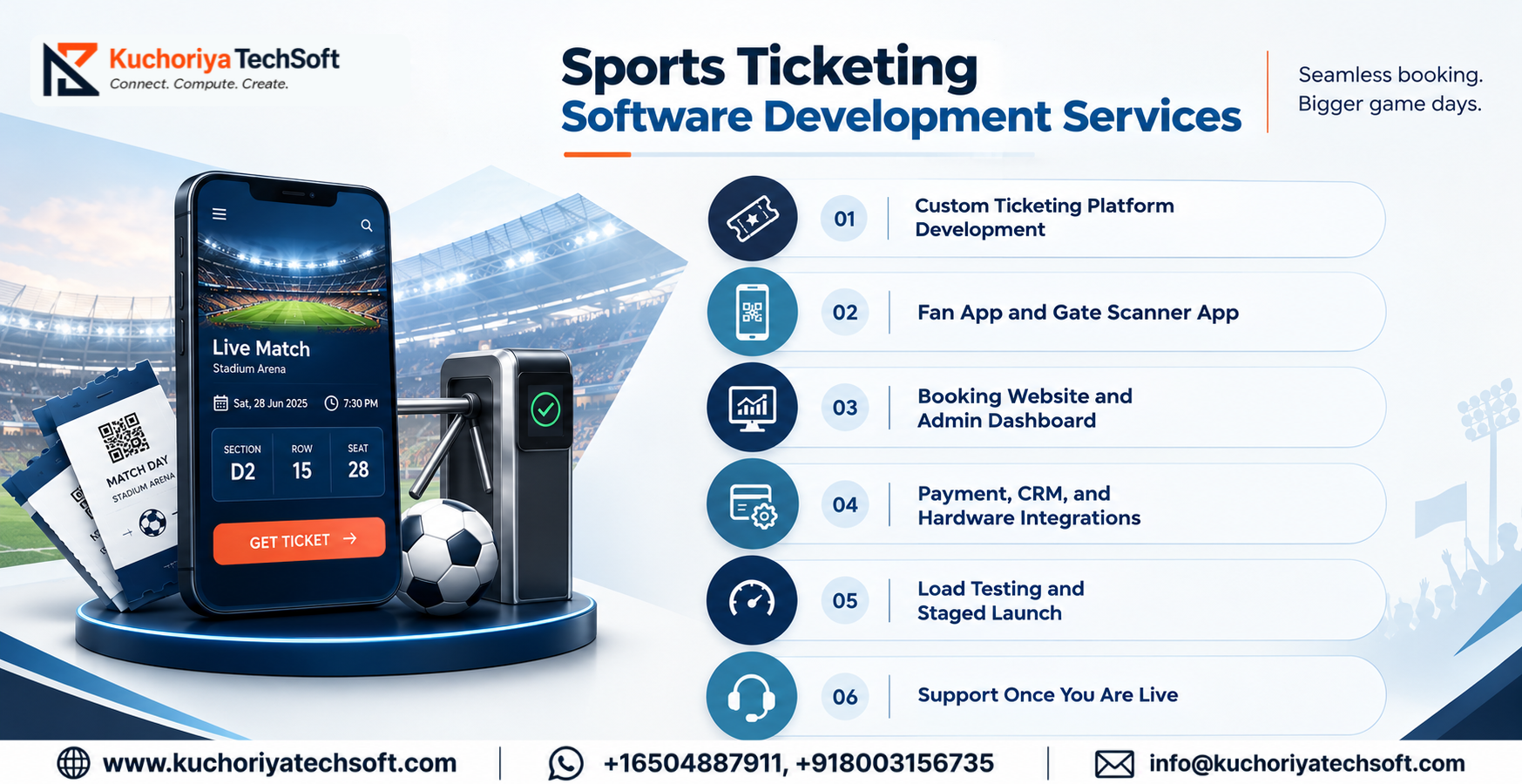
Ticketing isn’t one big job. It’s six smaller ones, and all of them need an owner. Here’s what sports ticketing software development services look like in practice.
1. Custom Ticketing Platform Development
First, the team looks at how you sell today. Seat plan, season packages, hospitality boxes, away-fan quotas, all of it. Those rules go into the build from day one. Clubs usually come to custom sports ticketing solutions after a ready-made tool made them change how they work.
2. Fan App and Gate Scanner App
Fans get an app for booking, wallet tickets and match alerts. Gate staff get their own scanner app. That one has to work offline, because stadium Wi-Fi is never as good as people think. This is the part of sports ticketing app development where shortcuts show up fast.
3. Booking Website and Admin Dashboard
Think phone first. That’s where most of your fans will buy, so the site gets designed for small screens before anything else. Then there’s the dashboard at the back. Change a price, close a stand, pull a sales report. A few clicks, no developer needed.
4. Payment, CRM, and Hardware Integrations
Your ticketing system has to talk to payment gateways like Stripe or Razorpay, your CRM, email tools, accounting software and gate scanners. When that’s set up properly, a sale is recorded once and then shows up everywhere it should.
5. Load Testing and Staged Launch
Before tickets go on sale, the system is tested with a crowd of fake buyers all hitting it at once. Logins and payments get checked for weak spots too. Then a smaller match goes live first. The big fixture comes later, once things have held up.
6. Support Once You Are Live
Launch day isn’t the end of it. Bugs turn up. Phones get new OS updates. Match days throw up surprises nobody planned for. That’s when your sports ticketing app developers step in to fix things, push updates and watch the system. If it goes well, nobody outside your team ever hears about the glitch.
Technologies Used to Develop Sports Ticketing Software
The tech stack decides whether your site survives the first ten minutes of a sale. There’s no single right answer, but this is how we’d pick for each layer.
A small club selling a few thousand seats a match can start on a simple cloud setup. Once you’re filling 50,000-seat fixtures, you’ll want queueing, auto-scaling and load tests from the first day.
System Architecture and Third-Party Integrations
Trace a ticket through the system. A fan clicks on a seat. The request comes to the API. The seat service reserves it. The payment service collects the cash. The ticket service generates a QR code. Hours later, the gate scanner validates that code against that record. A clean sport ticketing platform architecture isolates each of those functions in its own service so a problem in payment doesn’t freeze the seat map.
Integrations are where most projects slow down, so plan them early:
- Payments: gateway with refunds and webhooks, so a failed payment frees the seat on its own
- CRM: a sports ticketing CRM integration sends each buyer’s history to your marketing tools
- Partners and apps: a well-documented sports ticketing API integration lets resellers and apps read the same live stock
- Counter sales: box office ticketing software integration means the ticket window and the website never sell the same seat
- Resort venues: a casino ticketing system integration links tickets to the venue’s own guest and loyalty systems
Document who owns each connection and what goes wrong if it fails. That cheat sheet eliminates tons of match day panic.
Security, Data Privacy, and Compliance Requirements
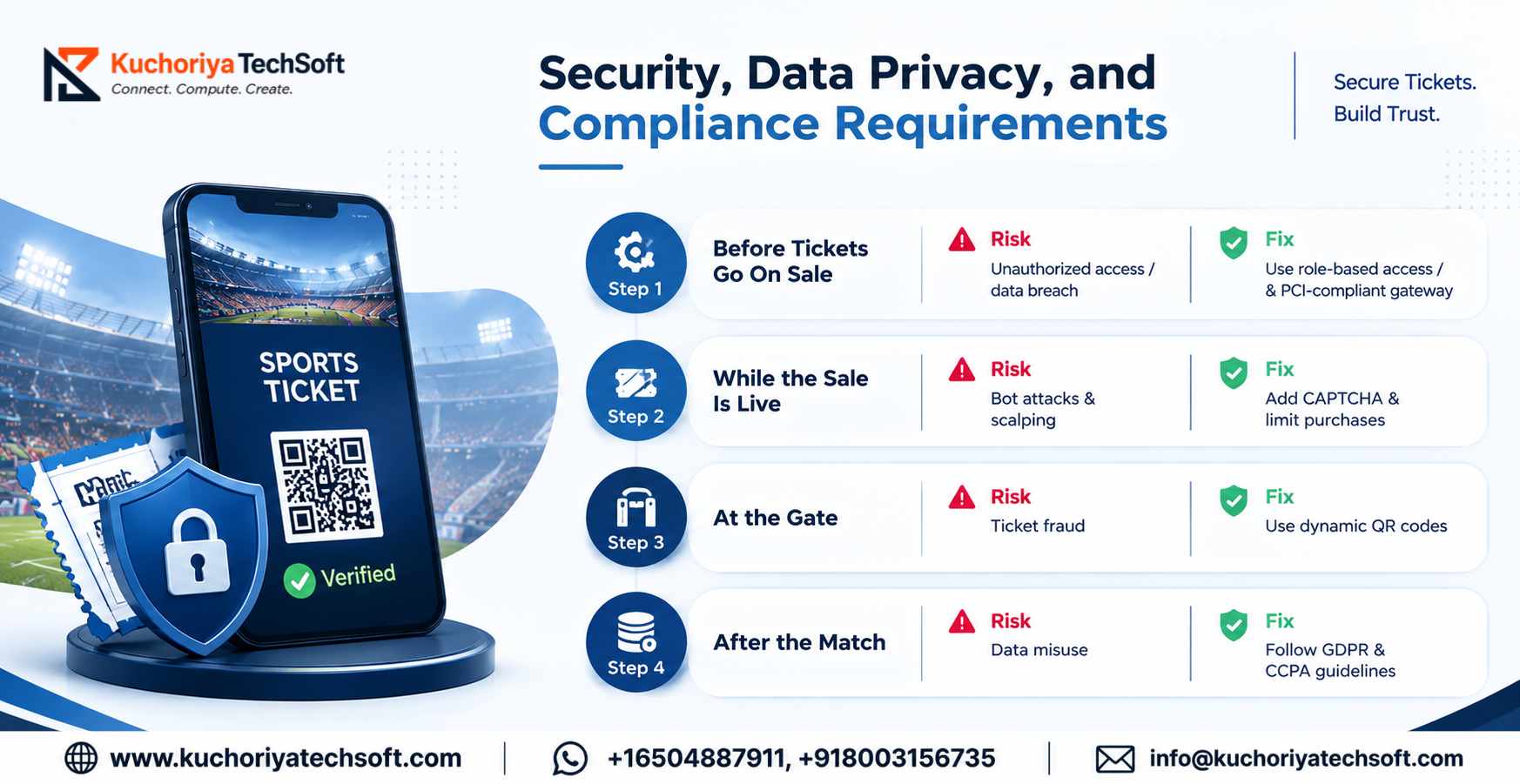
Ticketing sites are an easy target because every ticket is basically cash with a seat number on it. So sports ticketing system security has to be planned at the start, not patched in after launch. It helps to look at it in four stages.
Stage 1: Before Tickets Go On Sale
Risk: Someone on the team edits a price they had no reason to touch. Or a person quit last month and their login still opens the admin panel.
Fix: Give each person only the access their job needs. Add two-step login for admins and a log of every change. Close accounts on someone’s last day, not a week later.
Risk: You store card data on your servers. A data breach comes for a visit.
Fix: Transmit the card to a PCI DSS-compliant gateway, and store only the token returned.
Stage 2: While the Sale Is Live
Risk: You open the page at 10 and bots are already waiting for you. By the time real fans wake up the best seats are taken.
Fix: Throttle duplicate requests, add CAPTCHA at purchase and limit the number of tickets purchasable per account. Implement alerts for suspicious purchases as well. Eg, one credit card being used on ten different accounts.
Stage 3: At the Gate
Risk: One fan sends screenshots of the same ticket to two friends and sells it twice.
Fix: Use QR codes that change every few seconds. The scanner marks a ticket as used the first time it’s read. The second person gets turned away at the gate.
Stage 4: After the Match
Risk: Fan emails and phone numbers sit in the database forever, and get used for marketing nobody agreed to.
Fix: GDPR covers fans in Europe and CCPA covers California. Collect only what you need, ask before sending marketing, and decide how long you’ll keep records. Write these into your sports ticketing system requirements from the start, and the developers can build them in from day one.
Sports Ticketing Platform Monetization Models
Where the money comes from depends on who you ask to pay. A custom sports ticketing platform can carry several of these at once, so it’s easier to sort them by who pays.
When Fans Pay
- Booking fee: a small charge added at checkout, flat or a percentage. Show it before payment, since a surprise fee on the last click sends people away.
- Resale commission: a cut when a fan lists a ticket they can’t use on your official resale page.
- Add-ons: parking, food vouchers and merchandise offered at checkout. The fan is already paying, so it’s an easy extra.
When Clubs and Venues Pay
- Monthly subscription: a fixed fee for using the platform, often tied to the size of the club. It suits ticketing software for sports clubs that want costs they can plan around.
- Per-ticket pricing: a small cut on each ticket sold. It works well for sports ticketing solutions for stadium operators with a packed fixture list.
- White-label license: build the system once, then license it to other clubs and venues under their own branding.
- Paid modules: extras like dynamic pricing, analytics and CRM tools, sold on top.
When Sponsors Pay
- Sponsors can pay for their logo on tickets and match emails, a banner in the app or a presale offer under their brand name.
Don’t switch them all on at launch. A booking fee and a subscription is enough to begin with, and the rest can follow once volume builds.
Sports Ticketing Software Development Process
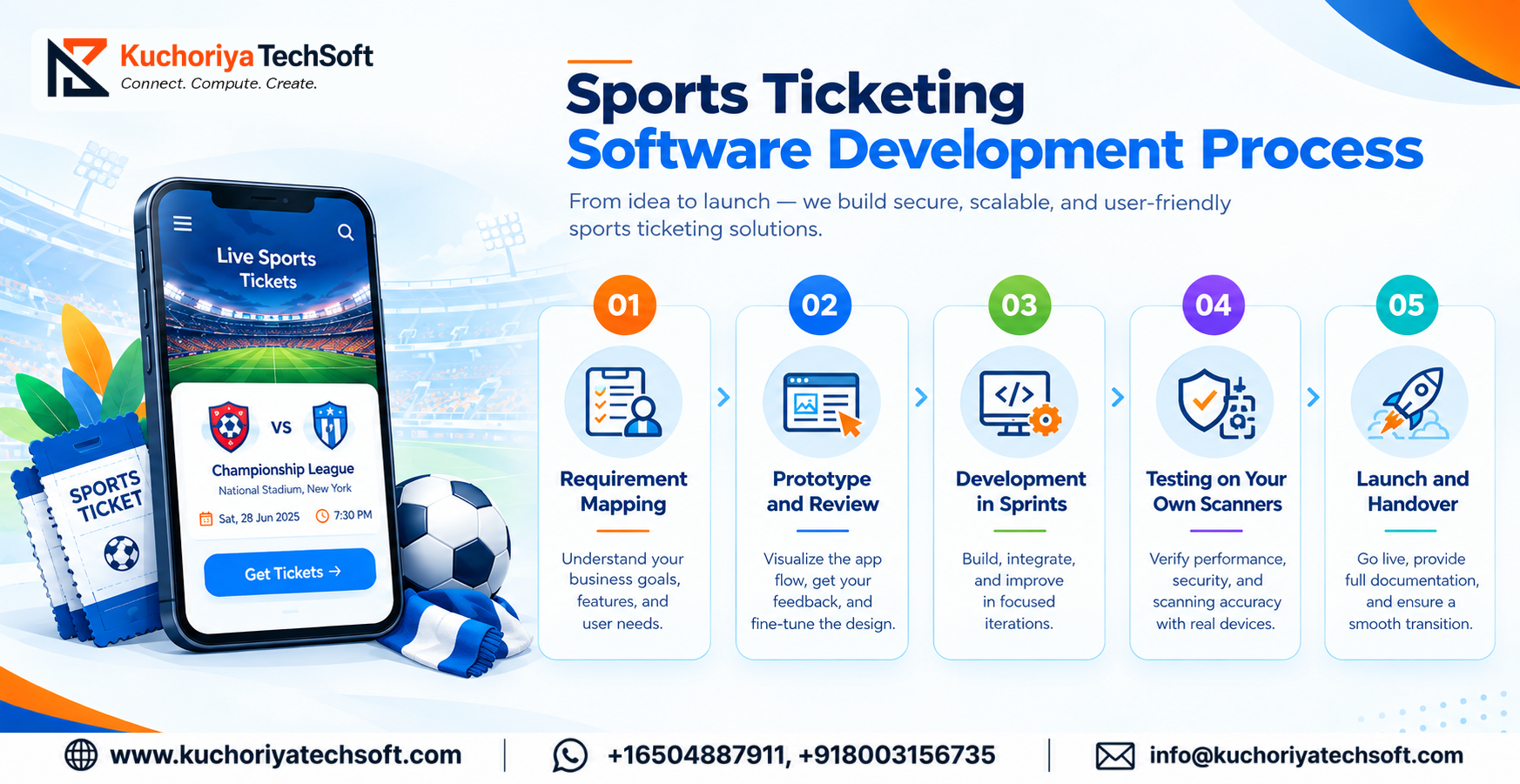
Most clubs ask how to build sports ticketing software and picture one big handover at the end. Real projects don’t run that way. In our sports ticketing software development process, there are five stages, and nothing moves ahead without your sign-off.
1. Requirement Mapping
We start with a long meeting and a lot of questions. Some are dull, like where the seat plan file lives, whether the away stand is on it and which gateway takes payments today. Others shape the whole build, like who holds the scanners at the gate and who can approve a refund. Whatever comes out goes into a single file, must-haves first.
2. Prototype and Review
Nobody writes code yet. We build the seat map, checkout and scanner screens as a clickable mock and hand it over. Let your box office staff try it on a phone. They will find the clumsy steps in ten minutes.
3. Development in Sprints
Seats and payments get built first. Change either one late and half the system has to be redone. Every sprint ends with a demo, plus a staging link you can open on your own. No shocks later.
4. Testing on Your Own Scanners
Sports ticketing software testing runs on your own seat layout and your own scanners. We try double bookings, failed payments, refunds and scans with no internet, all before a single fan logs in.
5. Launch and Handover
A smaller match goes live first. Your gate and box office staff get trained on the admin panel. Platform deployment and maintenance carries on after that with monitoring, OS updates and changes before each new season.
Sports Ticketing Software Development Cost and Timeline
The sports ticketing software development cost depends on scope more than anything else. One stadium with a plain seat map is a very different job from five venues sharing one CRM. These are the things that move the price and the schedule most:
Don’t read these as fixed quotes. One stadium with a plain seat map is a different job from five venues sharing a CRM. Each new integration pushes the sports ticketing platform development timeline further, so the guide says to avoid building it all at once. Launch the core, see how a few matches go, and add features after that. The sports ticketing app cost is already counted in these numbers. Going with one Flutter or React Native codebase for both iOS and Android keeps that part sensible.
Common Development Challenges and Solutions
Most trouble in these projects comes from a few places, and nearly all of it can be planned for. The biggest one is sports ticketing system integration, because every club already runs something old.
None of these needs fancy tech. Sports ticketing performance optimization is mostly about testing early, and the people side only works when the staff have tried the tool before match day.
Why Choose Kuchoriya TechSoft for Sports Ticketing Software Development?
A booking form is easy to build. A system that holds up when thousands of fans hit refresh together is harder, and that is the work our team is set up for. As a sports ticketing development company, Kuchoriya TechSoft brings the people, process and security standards that kind of load needs.
Proof You Can Check
We have been building software since 2009, with 1,000+ projects delivered across 100+ industries and a 98% client retention rate (Source: Kuchoriya TechSoft About Us). Our team has 350+ developers, and we are ISO 27001 and ISO 9001 certified, which matters when a platform handles payments and fan data.
Ticketing and Casino Experience
We have written about ticketing and box office solutions because we work on them. We also build casino platforms, which helps when a resort venue wants tickets tied to its guest and loyalty systems.
Built Around Your Venue
Our custom ticketing software development starts from your seat plan, your gates and your scanners. A template never gets to decide how your club sells.
One Team, Start to Finish
From the first requirement call to match-day support, event ticketing platform development stays with one team, so nobody explains the stadium twice. Need extra hands for a season launch? You can bring in dedicated developers on a monthly basis. We have offices across the USA, UAE, Canada, Australia, India and more.
Tell us how your venue sells today, and we will start from there.
Conclusion: Turn Your Sports Ticketing Idea into a Scalable Platform
A good ticketing platform is the one nobody talks about on match day. Seats stay in sync, gates keep moving and fans walk in without a fuss. Getting there takes a clear plan before any code is written.
Need A Tech Lead For The Plan?
Not every club has a CTO on staff. Our CTO Services team backs our sports ticketing consultation services, so you get help choosing the stack, setting the scope and going through vendor quotes before you commit to anything.
Know a club or venue that needs this?
Our Referral Partner Program is built for exactly that. If you know a club, league or venue planning sports ticketing system development, introduce us and earn rewards without a pile of paperwork.
Schedule a free consultation, share your seat plan and match calendar, and we will take it from there.

Frequently Asked Questions About Sports Ticketing Software Development
Q. What does sports ticket booking software development include?
A. Two sides, mostly. Fans choose a seat, pay, and carry a QR ticket in their pocket. Your staff need a screen to set prices, close a stand and see who has walked in. Then someone has to wire both into payments and the gate scanners, and that wiring is where most of the hours go.
Q. What will a sports ticketing platform cost me?
A. It depends on your brief. The number of venues, seat plans, integrations and whether you want AI features all change the price. A launch with the fan side, admin panel, gates and payments costs far less than a multi-venue build, so most clubs start there and grow. Share your seat plan and match calendar, and we can put a proper estimate together.
Q. When can fans start buying tickets?
A. It depends on scope. A core build with the fan side, admin panel, gate scanning and payments is the quickest. More venues or integrations stretch it. Once your requirements are mapped, we can give you a timeline you can plan around.
Q. What should we build first?
A. Keep it small. Fan side, admin panel, gate scanning and payments. Price suggestions and fraud alerts can wait until you have a few matches of real sales behind you.
Q. Can a fan screenshot a ticket and sell it twice?
A. Not if the QR code keeps changing. It refreshes every few seconds and the scanner flags a ticket as used the first time it’s read. Friend number two gets stopped at the gate.
Q. Will a sports event booking platform work with our old box office and CRM?
A. Yes, in most cases. Hook up the counter sales, the CRM and the payment gateway so the ticket window and the website can’t sell one seat twice. Settle early who looks after each connection, since something will break one day.