Why Manual Workflows Are Holding Businesses Back
Teams are not slow because people aren't working hard enough. They're slow because too many repetitive tasks still run through spreadsheets, email approvals, and manual copy-paste between tools. Even at companies that have automated something, employees still lose close to a quarter of their work week to manual processes that a connected workflow could have handled on its own.
The financial side is harder to ignore. According to IDC research, businesses running on disconnected systems lose an estimated 20 to 30 percent of annual revenue to re-keying data, duplicated effort, and approvals that fall through the cracks. That's not a productivity problem. That's a revenue problem hiding inside daily operations.
What actually causes this? Most workflow bottlenecks don't start as one big failure. They build up from fragmented workflows where one tool doesn't talk to another, disconnected business systems that force someone to manually bridge the gap, and process inefficiencies that only get noticed once reporting starts taking days instead of minutes. Operational bottlenecks like these are exactly why eliminating manual workflows and automating manual business processes have become priorities rather than nice-to-haves for growing teams.

Which Business Processes Should You Automate First?
Not every task deserves automation right away. The smartest place to start is with repetitive business processes that follow the same steps every time and involve little to no judgment calls. Below are the areas where most companies see results fastest when they begin to automate repetitive business tasks.
- Data Entry and Record Updates: a common target for manual data entry automation, since it's high-volume, rule-based, and prone to typing errors
- Invoice and Purchase Approvals: a classic case of manual approval processes stuck in email threads instead of moving on their own
- HR and Admin Paperwork: includes repetitive administrative tasks like onboarding checklists, leave requests, and document routing
- Reporting and Data Compilation: pulling numbers from multiple tools by hand every week, when a workflow could do it automatically
- Customer Follow-Ups and Notifications: routine emails and status updates that don't need a person typing them out each time
So what business tasks should be automated first? The ones that are repeated daily, rule-based, and currently eating hours without needing real decision-making.
How n8n Helps Eliminate Manual Work
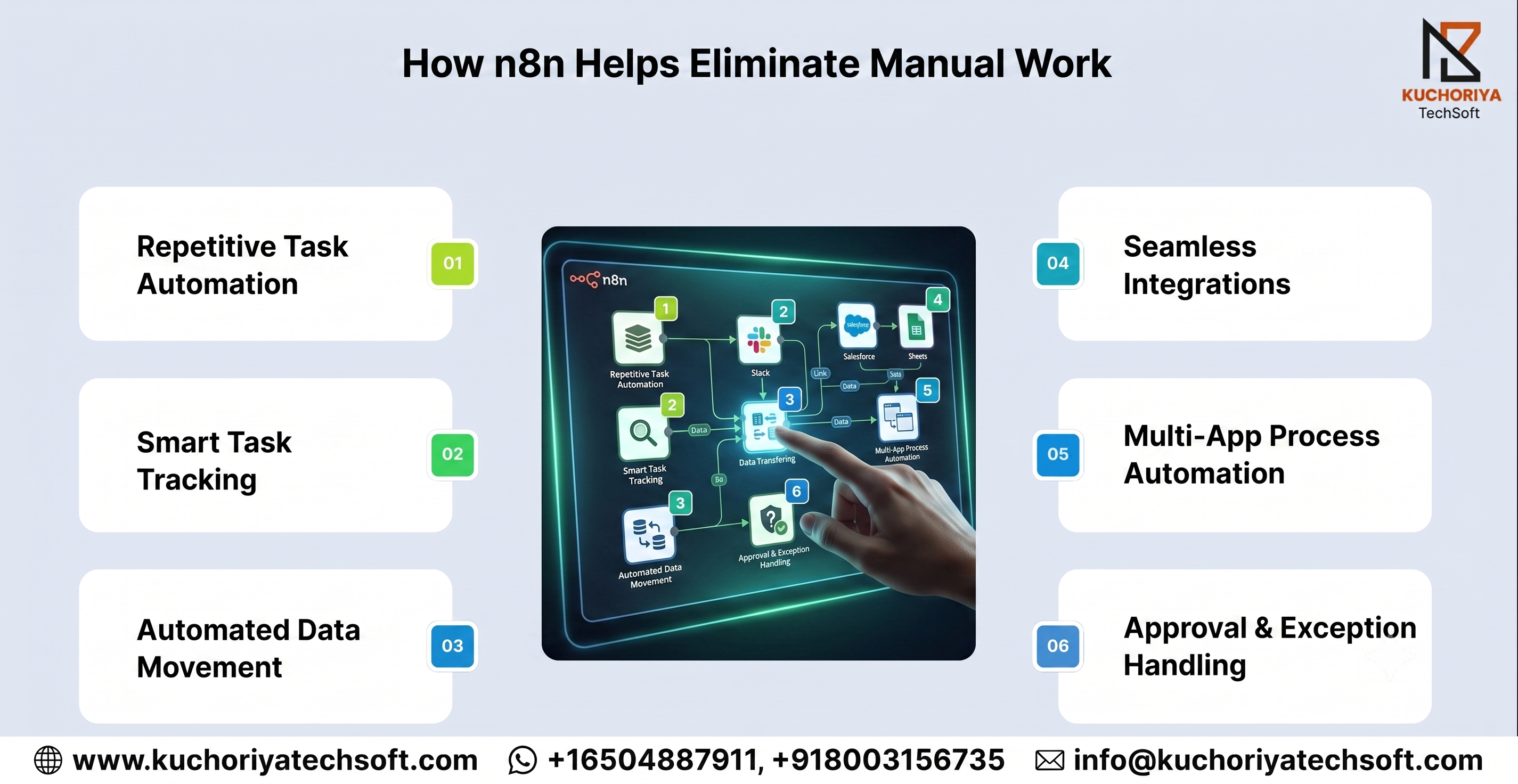
n8n doesn't automate one task in isolation. It connects the entire process, from the moment work enters a system to the moment it's marked complete.
1. Repetitive Task Automation
- Manual process automation replaces steps once done by hand
- Leads to real manual task elimination, not faster manual work
- N8n workflow automation keeps recurring jobs running on their own
2. Smart Task Tracking
- Runs on workflow triggers, starting the moment a condition is met
- Automated task management tracks every job without manual starts
- Task routing sends each request to the right person automatically
3. Automated Data Movement
- Data movement happens without anyone copying or pasting manually
- Automated data synchronization keeps records updated in real time
- System synchronization stays consistent across every platform
4. Seamless Integrations
- Runs on API-based workflow automation for reliable connections
- Backed by n8n integration services across existing business tools
- Lets teams connect business applications without custom development
5. Multi-App Process Automation
- Multi-system workflow automation removes manual cross-checking
- Enables cross-application workflow automation across the entire stack
- Keeps connected business workflows running end to end
- Delivers real cross-platform workflow automation, not disconnected tools
6. Approval & Exception Handling
- Helps replace manual workflows with automation, starting with approvals
- Exception handling flags anything unusual before it becomes a problem
- Human intervention only happens when it's genuinely needed
Why n8n Works for Complex Business Processes
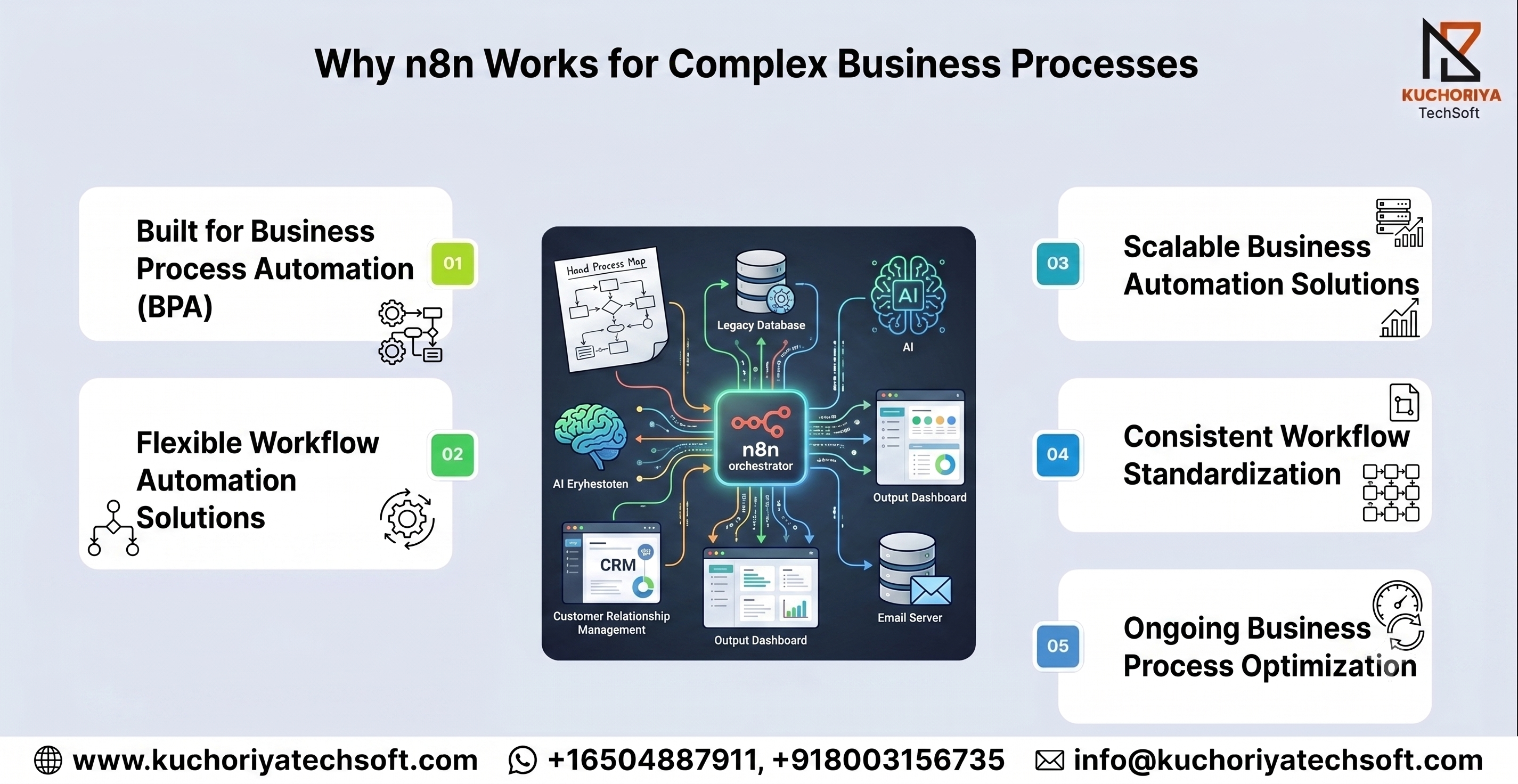
Simple tools break down once a process has multiple steps or exceptions. n8n was built to handle that complexity without falling apart.
1. Built for Business Process Automation
Workflows rarely follow one straight path, they branch based on conditions. n8n's business process automation handles that branching directly instead of breaking on exceptions.
2. Flexible Workflow Automation Solutions
Every business runs differently. n8n's workflow automation solutions are configured around how a team actually works, not the other way around.
3. Scalable Business Automation Solutions
A process that works for ten transactions a day should still work at a thousand. n8n's business automation solutions scale without needing a rebuild.
4. Consistent Workflow Standardization
When teams handle the same process differently, errors follow. n8n supports workflow standardization, keeping every run consistent.
5. Ongoing Business Process Optimization
Automation isn't a one-time setup. n8n drives business process optimization, using process logic to guide operational workflow automation as needs shift.
n8n Automation for Different Business Teams
Automation doesn't work the same way for every department. Each team has different bottlenecks, and n8n adapts to what each one actually needs.
Sales & Marketing
- N8n workflow automation services connect CRMs and lead forms
- Workflow automation services speed up lead-to-rep response time
- AI workflow automation qualifies and routes leads automatically
- Growing use for workflow automation for businesses in the USA
Operations
- N8n development services fit around how operations teams work
- Reliable workflow automation company for daily process management
- AI-powered workflow automation handles scheduling and status updates
- Rising demand for workflow automation solutions in Canada
Customer Support
- AI business process automation routes tickets by urgency
- Intelligent workflow automation speeds up repeat-issue resolution
- Can n8n automate repetitive business processes? Yes, including tagging and follow-ups
- Workflow monitoring tracks response times automatically
IT & Data
- No-code workflow automation lets non-developers build workflows
- Low-code workflow automation gives technical teams more control
- AI-assisted business processes support data validation
- AI automation for repetitive tasks cuts manual scripting
In short:
- Sales speeds up lead response
- Operations runs day-to-day tasks without manual checks
- Support routes and resolves tickets faster
- IT and data cut down on manual scripting
Must Read: n8n vs Zapier vs Make: Which Workflow Automation Platform Is Best for Your Business?
How to Know Your Business Is Ready for n8n Automation
Not every business needs automation on day one, but certain signs make automation readiness hard to ignore. Below are the indicators worth checking before deciding.
- Repeated Delays in Handoffs. A clear sign among the common signs a business needs workflow automation, especially when work stalls between teams.
- Unclear Workflow Dependencies. When no one can say what happens next in a process, workflow dependencies are likely undocumented and unmanaged.
- Manual Work Piling Up With Growth. A strong indicator that process improvement is overdue, not just helpful.
- Reporting That Takes Days. A direct hit to operational efficiency, usually caused by manually pulling data from multiple tools.
- Small Team, Big Task Load. Answers a common question directly. Is workflow automation suitable for small businesses? Yes, often where the time savings matter most.
- No Clear Process Owner. When tasks move without anyone tracking them end to end, it's usually time to automate rather than add more manual oversight.
Conclusion: Moving From Manual Work to Automated Workflows
Manual processes rarely announce themselves as a problem until growth makes them impossible to ignore. Manual workflow automation with n8n gives businesses a practical way forward, without ripping out the tools they already rely on.
Whether you need a full business process automation platform, a lighter workflow automation solution for repetitive tasks, or scalable business workflow automation solutions, n8n adapts to the size and complexity of the process at hand. For teams comparing workflow automation software for business, the real question isn't whether to automate; it's which processes to start with.
If you're unsure where to begin, Kuchoriya TechSoft's Virtual CTO team can review your current workflows and map out a scalable business workflow automation plan built around your business, not a generic template. We also work with agencies and consultants through our referral partner program, so if automation isn't your core offering, you can still bring it to your clients.
Get in touch to talk through what's slowing your team down and where n8n fits.

FAQs About n8n Workflow Automation
Q. How can businesses eliminate manual work?
A. Look at which tasks repeat daily and follow the same steps every time, like data entry or approvals, and connect the tools involved so the workflow handles them instead of a person.
Q. Is n8n suitable for UK businesses too?
A. Yes. Teams looking for business automation solutions UK wide can use n8n the same way as anywhere else, since it connects to standard business tools without needing local infrastructure.
Q. What is no-code business automation?
A. No-code business automation lets someone build a workflow by connecting steps on screen, no coding required. n8n adds low-code business automation on top of that for the parts where a bit of custom logic is genuinely needed.
Q. How does no-code process automation work in practice?
A. Someone drags a few actions onto a canvas, links them together, sets the condition that should trigger the run, and saves it. From there the workflow just runs on its own.
Q. Why does visual workflow automation help non-technical teams?
A. It shows the entire process as connected steps and drag-and-drop workflow automation lets teams build without needing a developer for every change.
Q. Can workflow automation without coding handle complex processes?
A. Yes. Multi-step approvals and conditional logic can be built visually in n8n, with coding needed only for very specific requirements.
Q. What do n8n automation services include?
A. Workflow design, integration setup, testing, and ongoing support, which is what separates n8n automation services from basic business workflow automation covering a single task.