Introduction: How Much Does Sports Ticketing Software Cost?
Selling tickets for a sports match sounds easy until you start looking for the software. Every vendor gives you a different kind of quote. Some charge a small fee on each ticket you sell. Some ask for a yearly license. Some just say the price depends on your requirements and ask you to book a call. After talking to all of them, you still don’t know how much money you actually need. This is the main reason people keep searching for the sports ticketing software cost before they make any decision.
The problem is that every sports business is different. A small club that sells season passes online needs a simple booking system. A stadium needs much more, like gate scanning, ticket resale, and a website that can handle thousands of fans when a big match goes on sale. On top of this, there are payment gateway charges, hosting for heavy traffic days, and CRM integrations that nobody talks about in the first meeting. So the sports ticketing software price you hear in the beginning is usually not the final amount you pay.
The market is also growing very fast. Fortune Business Insights says the global sports events tickets market is worth USD 26.7 billion in 2026 and will reach USD 76.82 billion by 2034. With so many clubs and venues moving to online ticket sales, more people are buying this software without knowing what a fair budget looks like. (Source)
In this sports ticketing software pricing guide, we go through the costs that usually get missed and the questions you should ask before you sign anything. By the end, you will be able to make a sports ticketing software cost estimate that stays close to reality even after the platform goes live.
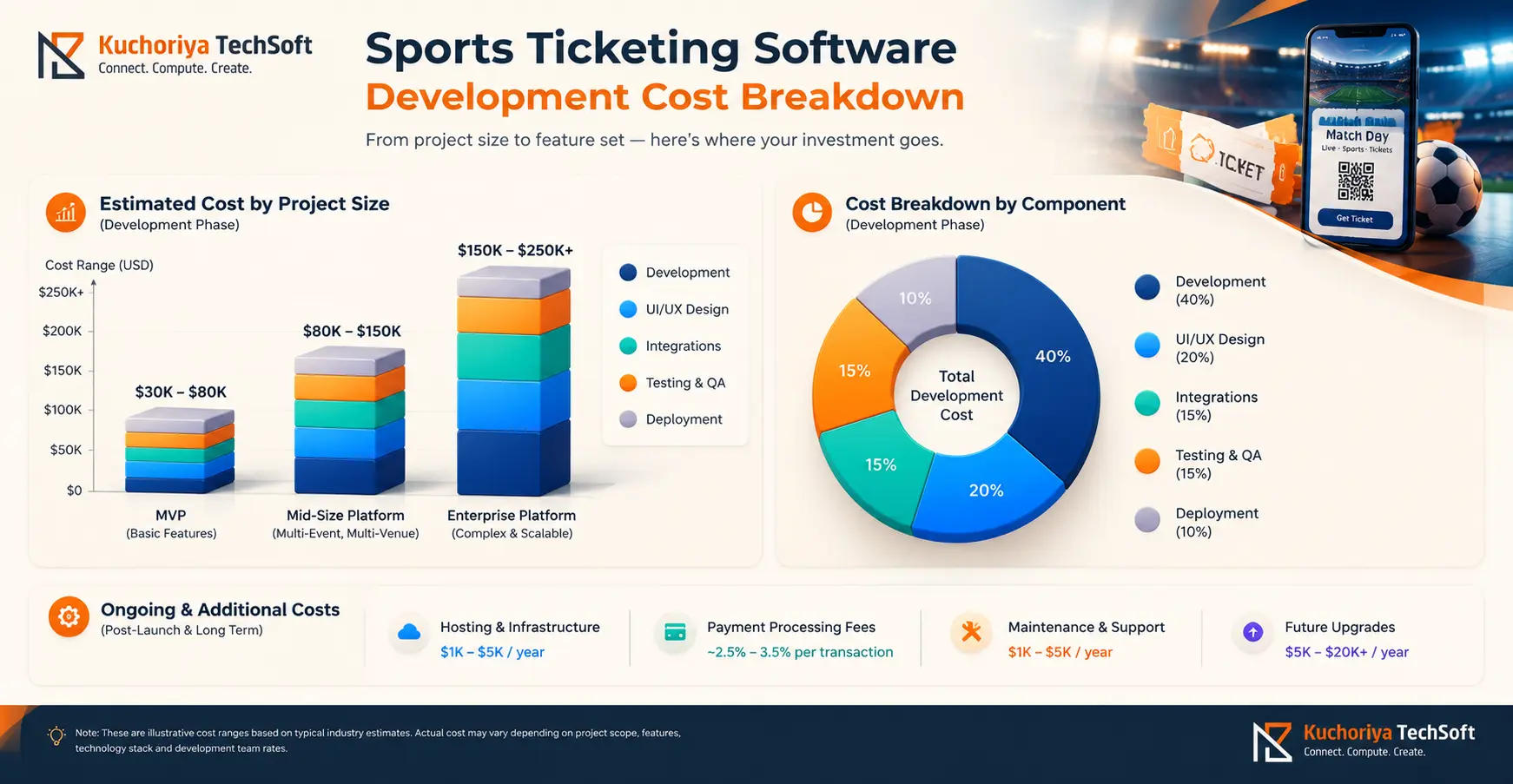
Sports Ticketing Software Development Cost by Project Size
Size changes everything here. A club with a few hundred season pass holders needs a very different system from a league with millions of fans. We always ask clients one thing first: how many tickets will you sell on your busiest day? Your answer sets the sports ticketing software development budget more than any feature list does.
For an outside yardstick, Clutch puts the average custom software project at about $132,480, based on reviews from verified clients. That is general software, not a ticketing quote, but it shows how fast scope turns into budget.
Startup and MVP Builds
For a first launch, keep it lean. Event pages, seat selection, payments and QR entry are enough to start selling. Teams in this tier often find the sports ticketing software cost for startups easier to handle than they feared. An MVP can cost between $15,000 and $40,000. Add resale and loyalty later, once real fans are using it.
Mid-Size Platforms
Then the requests start coming in. Marketing wants CRM links. Finance wants cleaner reports. Fans want to resell tickets they can’t use. Each one adds work, and your sports ticketing app cost estimate grows with it. Going with both iOS and Android, or asking for a detailed admin panel, pushes it up further.
Enterprise Platforms
Big venues and leagues can’t afford a crash on sale day. Their system has to handle huge traffic, talk to gate scanners and keep fan data locked down. All of that shows up in the enterprise sports ticketing software cost. Full custom platforms with AI and integrations start around $150,000 and can go beyond $400,000.
Ready-Made Pricing Models
Some teams skip the build and buy a ready-made tool. When you compare the custom vs ready-made sports ticketing software cost, remember the two charge you differently. Ready-made vendors normally pick one sports ticketing software pricing model from this list:
- Per-Ticket Fee: You pay a fixed amount on each ticket sold.
- Subscription: you pay monthly or yearly, whatever your sales.
- Percentage of Sales: the vendor keeps a share of ticket revenue.
Year one usually feels cheaper with ready-made. By year three, the fees in a busy season can add up. A custom build costs more on day one, but you own it. Not sure which model suits your venue? This guide on how to choose a digital ticketing system for sports stadiums explains how to compare providers before you look at any quote.
Sports Ticketing Software Development Cost Breakdown
The sports ticketing system cost on a quote is several jobs priced together. This sports ticketing software cost breakdown shows where the work goes and what makes each part more expensive. Ask every vendor to price these parts separately.
Sports ticketing software cost by features goes up fastest with add-ons like these:
(Source)
Together, these make up the sports ticketing platform development cost for your tier. Two bills sit outside it. The sports ticketing software implementation cost covers venue setup, data import, scanner connection and staff training. The sports ticketing software licensing fees are for outside tools like maps and SMS. Get both in writing.
Related Guide: How to Build Sports Ticketing Software: Features, Costs, and Development Guide
Factors That Affect Sports Ticketing Software Development Cost
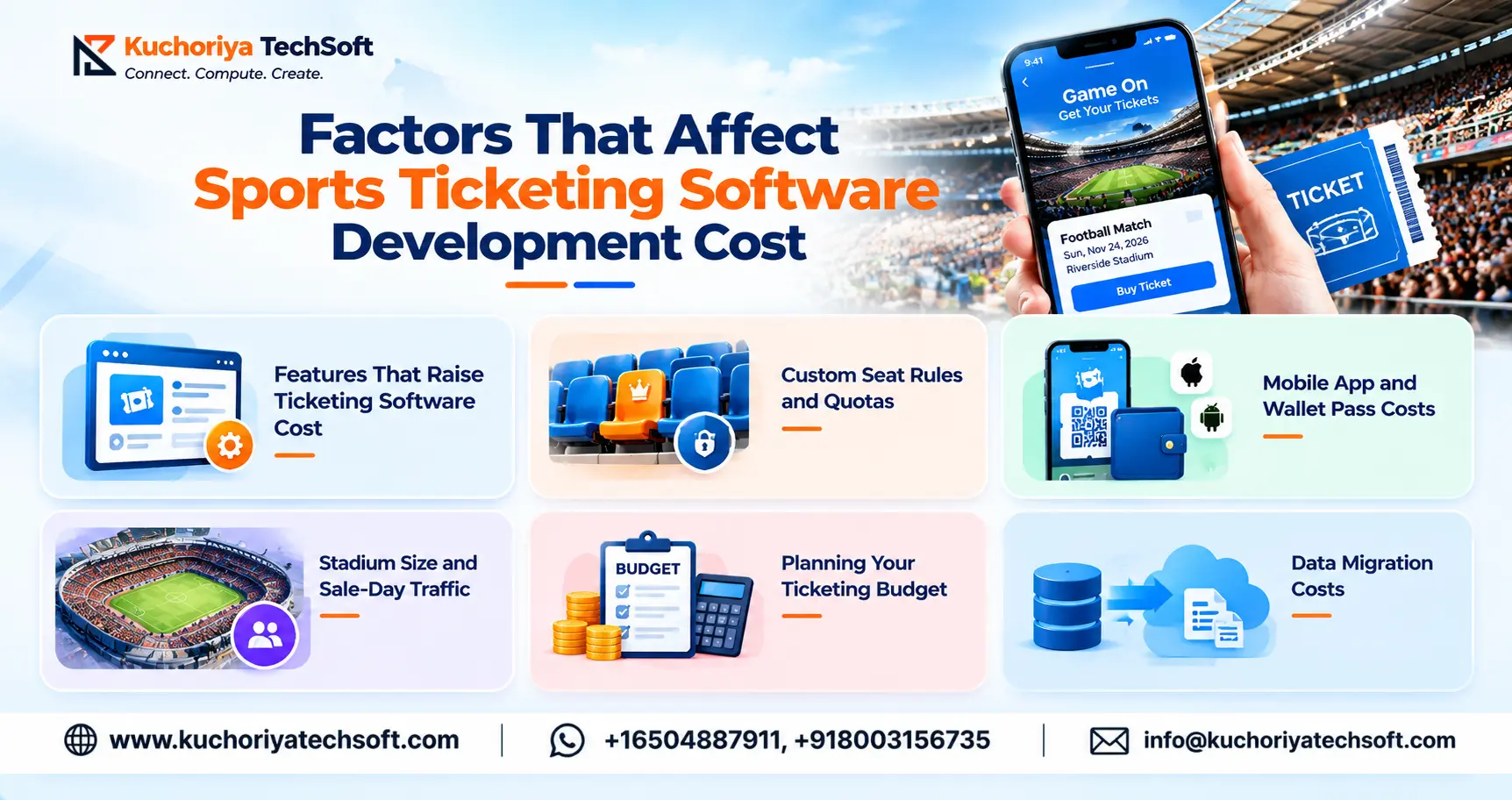
Ask two clubs for the same ticketing platform and the quotes can land miles apart. Six things drive most of that gap.
1. Features That Raise Ticketing Software Cost
Of all the factors affecting sports ticketing software cost, scope moves the number most. A QR scan at the gate is a light build, but seat maps, wallet passes and demand-based pricing each need their own design, code and testing.
2. Custom Seat Rules and Quotas
General admission is easy. Split seats between sponsors, federations and hospitality with separate quotas, and the custom sports ticketing software cost climbs, because every rule has to be coded and tested.
3. Mobile App and Wallet Pass Costs
iOS and Android are built separately, and each wallet pass has its own format, which lifts your sports ticketing app development cost. Store accounts are the small part: $99 a year for Apple, $25 once for Google Play.
4. Stadium Size and Sale-Day Traffic
Picture a big match going on sale at 10 am. The sports ticketing software cost for stadiums has to cover a waiting queue, extra servers and load testing so the site holds. Card fees grow too: at Stripe’s US rate of 2.9% plus $0.30, a $100 ticket loses about $3.20.
5. Planning Your Ticketing Budget
Most budgets break from small “can we add this?” requests. Keep your sports ticketing software project budget safe by launching with only what the first match needs. Reserved seating and resale can wait.
6. Data Migration Costs
Old systems rarely give clean data. Duplicate fans and mismatched seat codes make the sports ticketing software data migration cost vary a lot, so run a test import first and ask for it as a separate line in the quote.

How Developer Rates and Team Location Affect Development Costs
A club gets three quotes for a ticketing platform. Two are close. The third is almost half. Tempting, right? Hold on before you sign.
Why is the same app cheaper in some countries?
Because developers in different countries earn different amounts, simple as that. It’s a big part of why sports ticketing platform pricing varies so much. Just keep the clock in mind. If a bug hits at 10 am on sale morning, someone has to be awake to fix it.
What should you check when comparing quotes?
Look at what’s missing, not just the total. When you do a sports ticketing software pricing comparison, ask if each quote covers security testing, a load test for sale day and bug fixes after launch.
Fixed price or hourly, which one works better?
Depends on how sure you are about what you want. Fixed price works if the plan won’t change. If it will, hourly saves arguments. Either way, get the change rules for your sports ticketing software vendor pricing in writing.
Will a close deadline cost more?
Usually, yes. Opening day is opening day, so the vendor puts extra people on your project, and the sports ticketing software development timeline and cost go up together. Starting early gives you room to breathe.
Is it better to have your own developers?
You could hire sports ticketing software developers in-house, and some clubs do. But then you’re handling salaries, hiring and what happens when someone leaves. Many clubs find an agency easier for the first build.
What comes with a good vendor?
The sports ticketing software development services you pay for should cover seat inventory, payments, gate scanners and help after launch. Check the contract. If something isn’t listed, ask.
Additional Costs of Payment Gateways, Hosting, and Third-Party Integrations
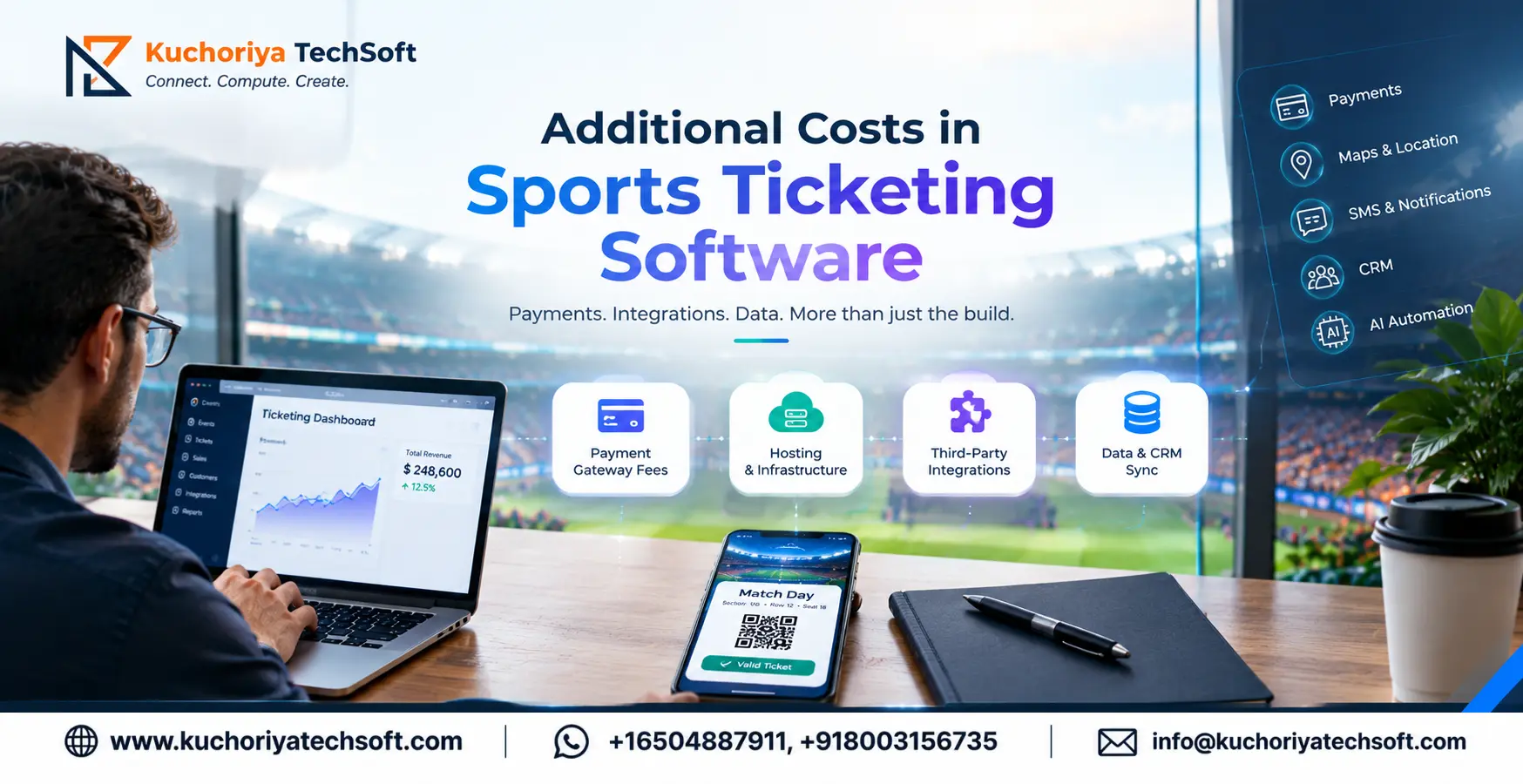
Most buyers expect the quote to be the final bill. It rarely is.
Myth: Payments are a one-time cost.
Reality: The setup happens once, sure. But hooking a gateway into checkout, testing refunds and failed cards, and making sure your system hears about every payment takes real developer hours. Add a second gateway and the payment gateway integration fees go up again. Then fans start buying, and the gateway takes its cut of every ticket. Those sports ticketing payment processing fees land in your monthly budget, not in the build quote.
Myth: Scanners, maps and SMS just plug in.
Reality: Some do. Others fight you for weeks. A partner with clear docs connects in a few days, while a messy one can eat a whole sprint. That’s why ticketing API integration costs swing so much. Count every connection and you get your sports ticketing software integration cost. Ask the vendor to show each one as its own line.
Myth: The CRM will sync in an afternoon.
Reality: Rarely. Old fan records come with missing emails, double entries and odd formats. Someone has to clean that up, then test the sync both ways. So the sports ticketing CRM integration cost depends a lot on how tidy your data is today.
Myth: You need AI from day one.
Reality: You don’t. AI learns from sales history, and a brand new platform has none. AI ticketing automation costs make more sense after a full season.
Sports Ticketing Software Maintenance and Support Costs
Launch day is not the finish line. Your platform needs care every month, and most of these bills never show up in the build quote.
Get each of these as its own line in the quote, so you can see what you are paying for.
Sports Ticketing Software Total Cost of Ownership
A quote can look fine on the day you sign it. The real question is what the platform costs you by year three.
What You Actually Pay Over Time
Think of the sports ticketing software total cost of ownership as the whole bill, not the first invoice. It’s the build, the setup, and every yearly charge after that, added up for as long as you keep the platform. Most clubs only count the first piece, and that’s where budgets go wrong.
What Quotes Leave Out
Some costs never make it into the first quote. Cleaning old fan data, adding a second payment gateway, training gate staff, buying scanners. These are your sports ticketing software hidden costs. Nobody is hiding them on purpose. They just aren’t part of the build. Then there are the sports ticketing software ongoing expenses: hosting, support, security patches and card fees. These come back every month, even in a quiet season.
How to Work Out Your Own Number
You don’t need fancy tools. A basic sports ticketing software cost calculator is a sheet with one row per cost: build, setup, hosting, support, upgrades and licences. Add the rows, then multiply the yearly ones by the years you’ll use the platform. Give your sports ticketing system implementation budget its own row, so it doesn’t disappear inside the build.
Is It Worth It?
Once you know the full cost, you can judge the sports ticketing software ROI properly. That depends on what the platform earns, which we cover next.
Revenue Models for Sports Ticketing Software
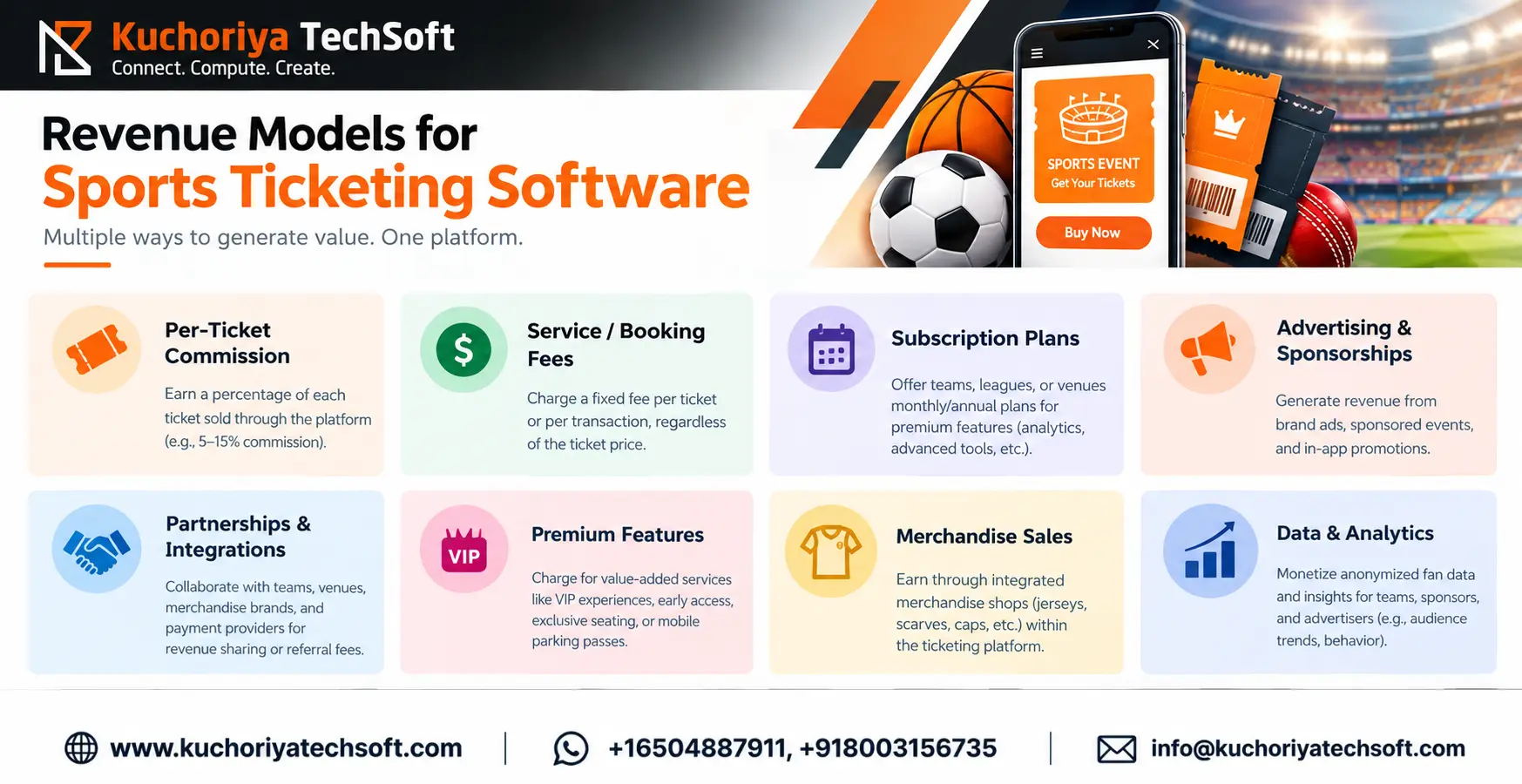
A ticketing platform is a cost, but it can also earn. Clubs that plan their revenue models early usually get their money back faster. These six work well for most teams.
Nobody needs all six. Start with two or three your fans will actually use.
Industry Insight: How to Choose the Best Digital Ticketing System for Sports Stadiums
Top 5 Ways to Optimize Sports Ticketing Software Cost
Saving money does not mean buying a weaker platform. These five habits trim the bill without hurting match day.
Start with the first two. They save the most for most clubs.
Sports Ticketing Software Budget Examples for Different Business Needs
Numbers are easier to understand when you can picture someone actually spending them, so here are three situations we see a lot. Take them as examples and not as quotes, because your own sports ticket booking software cost will move up or down depending on what you need.
A Local Club Selling Season Passes
Picture a semi-pro football club with a small ground and a couple of thousand regular fans, still selling passes over bank transfer and tracking them in a spreadsheet. All they want is event pages, seat selection, payments and QR entry. For a club like this, the sports ticketing software cost for sports clubs usually falls in the MVP range, which can be anywhere between $15,000 and $40,000. A mobile-friendly website is enough to begin with, so don’t rush into building an app.
An Organizer Running Several Tournaments
Now think of a company that runs five or six tournaments a year in different cities. They want one dashboard for all events, wallet passes, email reminders and a bit of analytics. The sports ticketing software cost for event organizers like this lands in the professional tier, which is roughly $50,000 to $120,000. Add their own app on top, and the mobile ticketing app development cost rises again, since iOS and Android get built separately.
A Stadium Operator With Big Match Days
A stadium with 30,000 seats has gate scanners, resale and a sale that opens at 10 am. If the site crashes, fans get angry and revenue is lost. That is why the stadium ticketing software cost is so much higher, because the system has to handle huge traffic and talk to gate hardware. Full custom platforms with AI and integrations begin around $150,000 and can cross $400,000.
When you plan the money, think about your busiest day and not your average one. Your sports event ticketing software cost is decided by that one big rush.
Sports Ticketing Software Budget Examples for Different Business Needs
Numbers make more sense when you picture someone actually spending them. So here are three situations we run into a lot. Treat them as examples and not quotes, because your own sports ticket booking software cost depends on what you need. The fee maths uses Eventbrite’s published rates, so you can check it yourself.
A Local Club Selling Season Passes
Take a semi-pro football club with 15 home matches and around 800 fans a game.
- They still take bank transfers and keep passes in a spreadsheet, so a ready-made tool is the fastest fix.
- Eventbrite charges a 3.7% + $1.79 service fee per ticket and a 2.9% processing fee per order, and buyers pay it unless you cover it. On a $50 ticket that is about $5.20, which comes to roughly $62,000 over 12,000 tickets. (Source)
- So the sports ticketing software cost for sports clubs like this is really a choice. Keep paying per ticket every season, or spend that money on a platform you own.
An Organizer Running Several Tournaments
Picture a company that organizes six tournaments a year across different cities, selling around 3,000 tickets for each one at $25.
- Running all those events from one dashboard matters to them, and so do wallet passes, reminders and reports.
- On the same published fees, each ticket costs around $3.52, so the yearly bill lands near $63,000.
- The sports ticketing software cost for event organizers goes up once they ask for a branded app. The mobile ticketing app development cost also covers store accounts, and Apple charges $99 a year while Google Play charges $25 once. (Source)
A Stadium Operator With Big Match Days
Last, a stadium with 30,000 seats, gate scanners, resale, and a sale that opens at 10 am.
- One sold-out match at $50 a ticket would mean about $156,000 in per-ticket fees on a public rate card.
- That is why big venues rarely stay on one. Most sit down and negotiate a contract of their own, or build the system in-house.
- How much they end up paying, in terms of the stadium ticketing software cost, comes down to seat count, number of events and the gate hardware involved.
Quick Comparison
Plan around your busiest day and not your average one. Your sports event ticketing software cost is set by that one big rush.
Why Choose Kuchoriya TechSoft for Sports Ticketing Software Development?
A cheap quote turns into an expensive project when nobody explains what is inside it. That is why the cost conversation comes first with us, before any design or code. Kuchoriya TechSoft has delivered 1,000+ projects across 100+ industries, and we work with clients in the USA, UAE, UK, Canada and Australia. Our client list also includes the ticketing brand ASAP Ticket. We are ISO 27001 and ISO 9001 certified, which matters when a platform holds fan data and takes payments. The planning looks the same whether you run a small club or a large venue.
- Your busiest match day is where we start. Peak traffic, seat rules and gate hardware decide the price of custom sports ticketing software development, so that is what we plan for first.
- Our quotes come in parts like design, frontend, backend, security, testing and setup. Open any line and ask us about it, and you will see where the sports ticketing software development company pricing really goes.
- A short sports ticketing software consultation comes before the numbers. We go through your payment gateways, CRM and scanners first, since those are the costs that usually show up late.
- We help you set a ticket booking platform development budget that includes hosting, support and yearly upgrades, and not only the build.
- If a ready-made tool suits you better, we say so. Our sports ticketing platform cost comparison puts per-ticket fees next to a custom build, year by year.
Not sure what your project will cost? Send us a rough scope, even a few lines is fine. We will come back with a clear picture of the budget and what is driving it.
Conclusion: Planning Your Sports Ticketing Software Budget
The price on a quote is only the first number. You will also pay for setup, hosting, support and card fees for years after launch. So here is a simple habit. Before you request a sports ticketing software quote, write down your busiest match day and which tools the platform has to connect with. Think about how many seasons you will use it too. Once you have that, place custom ticketing platform pricing beside a ready-made option and compare what each costs per year.
Kuchoriya TechSoft also helps beyond ticketing builds:
- Know a club or organizer that needs a ticketing platform? Send them our way through the Referral Partner Program.
- Run an agency that needs a delivery team for a client’s ticketing project? Look at our Associate Partner Program.
- Have a ticketing idea but no one to lead the tech side? Our CTO services can help you plan the build and the budget.
Want a clearer picture of what your project will cost? Share your requirements with our team and we will go through the numbers with you.
Frequently Asked Questions About Sports Ticketing Software Costs
Q. How much does sports ticketing software cost on average?
A. We hear this on almost every first call, and the honest answer is that it depends on the venue. A club with a few hundred season passes needs event pages and payments. A stadium also needs gate scanners and resale. Those two quotes will never look alike.
Q. What pushes the cost up the most?
A. Features do. A seat map takes weeks of design and testing, and wallet passes need separate work for Apple and Google. Every extra payment gateway adds hours too. The team’s location matters as well, since rates in India and Canada are not the same.
Q. How much does maintenance cost each year?
A. Hard to pin to one number. Some clubs pay a small monthly retainer and hardly ever call. Others need a fix every week of the season. What you’re really buying is response time, so ask whether someone picks up at 9 pm on match day, and what that costs.
Q. What costs show up after the build?
A. The build quote is the easy part to read. The rest hides in other places, like the hosting invoice, the card statement or a security patch nobody planned for. Map and SMS tools bill separately too. Put all of it on one list before you compare vendors.
Q. Is custom software cheaper than a ready-made platform?
A. Not at the start. Custom needs real money up front, while a ready-made tool needs almost none. The catch is that the ready-made one charges you on every ticket, every season, with no end date. Custom doesn’t. Whether that matters comes down to how many tickets you sell, and the budget examples above show how fast it adds up.
Q. How do I work out the total cost?
A. A plain sheet does the job. Put build, setup, hosting, support, upgrades and licences in separate rows. Multiply the yearly ones by the years you plan to run the platform, add the one-off costs, and don’t leave out card fees.